

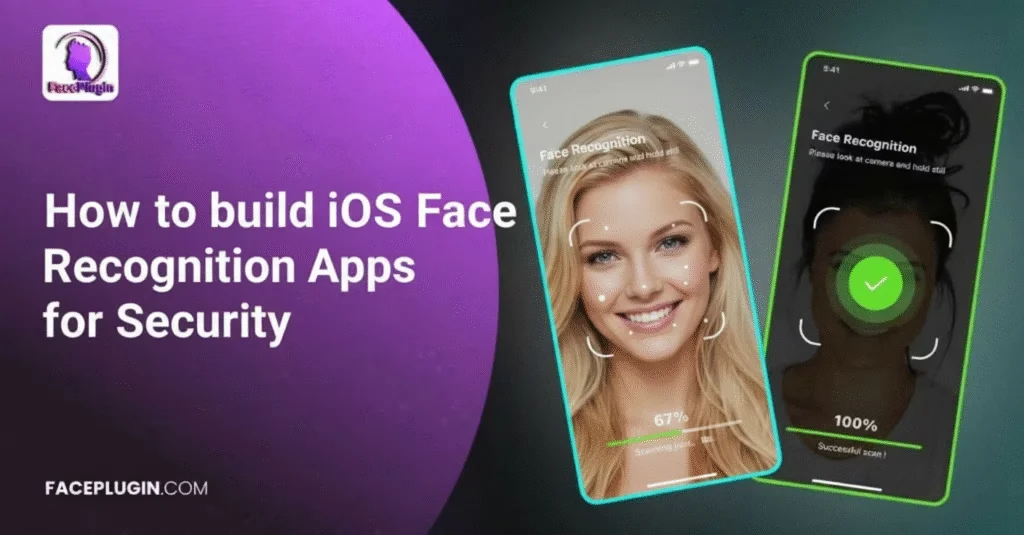
iOS Face Recognition: A Complete Guide to Building Secure, Real-Time Biometric Apps with Faceplugin
At Faceplugin, we have spent years building a cutting-edge iOS Face Recognition SDK tailored for enterprises, startups, and developers who want to integrate accurate, secure, and real-time facial biometric features into their iOS apps. Whether you’re building a face authentication login module, an attendance tracking solution, a KYC identity verification tool, or a customer experience platform, Faceplugin provides the technology stack required to build advanced biometric systems.
This comprehensive guide—nearly 4,000 words—covers everything developers, CTOs, and decision makers need to know about implementing iOS Face Recognition. From system architecture and camera access to liveness detection, on-device processing, anti-spoofing measures, deepfake prevention, and scalable deployment, we’ll walk through the entire ecosystem.
Let’s dive into how Faceplugin transforms iOS devices into powerful biometric engines.
1. Why iOS Is a Perfect Platform for Face Recognition
When designing facial recognition systems, the underlying platform matters as much as the algorithm itself. iOS enables better performance and accuracy in several ways:
1.1 Superior Camera Hardware
iPhones and iPads offer:
High-quality front-facing cameras
Optimized low-light performance
Apple’s ISP (Image Signal Processor) enhancements
TrueDepth sensor (on models with Face ID)
For developers using Faceplugin, this means:
Higher-quality inputs
More reliable face detection
Faster processing speeds
Better accuracy in challenging lighting
1.2 Consistent Ecosystem
Android devices vary heavily in:
Camera quality
CPU/GPU performance
Memory constraints
OS versions
But iOS remains consistent:
Limited number of models
Predictable hardware behavior
Regular OS updates
Uniform performance baselines
This consistency drastically reduces development time for face recognition apps.
1.3 Strong Security Foundation
iOS provides:
Secure Enclave
Biometric frameworks
Strict sandboxing
Robust permission controls
Paired with Faceplugin’s on-device processing, companies can build solutions that:
Don’t store images
Don’t transmit facial data
Fully comply with international privacy laws (GDPR, PDPA, CCPA)
2. Understanding Face Recognition on iOS
Before integrating Faceplugin, developers need to understand how face recognition works behind the scenes.
2.1 Face Detection
The first step is locating the face within the camera frame.
On iOS, this includes:
Bounding box extraction
Landmark detection (eyes, nose, lips, jaw)
Pose analysis
Faceplugin’s detection model is highly optimized for:
Real-time performance at 30–60 FPS
Multi-face detection
Occlusion handling (mask, sunglasses, beard)
2.2 Face Alignment
Before encoding a face into embeddings, the model must align it to a standard format:
Cropping
Rotating
Scaling
Normalizing
Faceplugin ensures consistent alignment so the same person generates stable embeddings.
2.3 Feature Extraction (Face Embeddings)
This is the heart of any face recognition system.
Faceplugin uses deep convolutional networks to generate 128–512 dimensional embeddings representing a person’s features.
These embeddings are:
Unique to each face
Lightweight (kilobytes)
Privacy-friendly (can’t reconstruct the face)
Suitable for on-device matching
2.4 Matching (Verification & Identification)
Faceplugin supports:
1:1 verification → “Does this face match the stored face?”
1:N recognition → “Which person in the database does this face belong to?”
Matching is done using:
Cosine similarity
Euclidean distance
Threshold-based scoring
3. The Importance of Liveness Detection
Face recognition alone is not enough. Attackers may try:
Printed photos
Video replays
Screen replays
3D paper masks
Silicone masks
Deepfake videos
That’s why iOS apps built with Faceplugin include advanced liveness detection.
3.1 Active Liveness Detection
User performs actions such as:
Blinking
Smiling
Head-turning
Useful for:
Banking KYC
Government verification apps
3.2 Passive Liveness Detection
No user action required.
The algorithm analyzes:
Texture
Depth
Noise patterns
Color distortions
Micro-movements
Best for:
Login apps
Attendance systems
Customer-facing apps
Faceplugin’s passive model supports:
RGB liveness
Low-light liveness
Mask-aware liveness
3.3 Deepfake Detection
Deepfake threats are rising in:
Financial fraud
Identity theft
Online onboarding
Faceplugin integrates deepfake detection models that analyze:
Temporal inconsistencies
Lip-sync anomalies
Eye movement patterns
Blending artifacts
GAN fingerprints
4. Setting Up Face Recognition in iOS with Faceplugin
Now let’s dive into practical implementation.
This includes:
Installing the SDK
Configuring permissions
Accessing the camera
Running detection
Running liveness verification
Generating face embeddings
Matching faces
4.1 Installing Faceplugin iOS SDK
Faceplugin supports:
Swift Package Manager (SPM)
CocoaPods
Manual Framework Integration
Example (SPM):
Go to
Xcode → Project → Package Dependencies → Add PackageEnter Faceplugin Git URL
Select the version
Add the SDK to your target
4.2 Required iOS Permissions
<key>NSCameraUsageDescription</key>
<string>We use your camera for face recognition.</string>
<key>NSFaceIDUsageDescription</key>
<string>This app needs Face ID permission.</string>
4.3 Initializing the SDK
Faceplugin.initialize(apiKey: "YOUR_API_KEY")
4.4 Accessing the Camera
You can use:
AVFoundation (recommended)
Faceplugin CameraView (simplified integration)
Example:
let cameraView = FaceCameraView(frame: view.bounds)
self.view.addSubview(cameraView)
cameraView.start()
4.5 Performing Face Detection
cameraView.onFrame = { frame in
let result = Faceplugin.detectFace(frame: frame)
if result.hasFace {
print("Face detected!")
}
}
4.6 Running Liveness Detection
let liveness = Faceplugin.checkLiveness(frame: frame)
if liveness.isAlive {
print(“Liveness Passed”)
} else {
print(“Spoof Attempt Detected”)
}
4.7 Generating Embeddings
let embedding = Faceplugin.generateEmbedding(from: frame)
4.8 Matching Faces
let score = Faceplugin.match(embedding1, embedding2)
if score > 0.85 {
print(“Same Person”)
} else {
print(“Different Person”)
}
5. Building End-to-End Biometric Flows on iOS
This section goes beyond coding—it’s about designing full workflows used in production systems.
5.1 Building Biometric Login (Face Authentication)
Steps:
Capture user enrollment face images
Generate and store embeddings securely
At login, capture new face
Compare with stored embedding
Trigger authentication event
Best for:
Banking apps
Enterprise security apps
Consumer apps
5.2 Building iOS KYC Identity Verification
Includes:
ID document capture
Face matching
Liveness detection
Fraud detection
Faceplugin supports:
Passport
ID card
Driver’s license
5.3 Real-Time Attendance System for iOS
Use cases:
Workforce management
Schools
Construction sites
Retail stores
Steps:
Open attendance app
Employee looks at camera
Face detection
Liveness verification
Embedding matching
Attendance logged instantly
iOS is ideal because:
High camera quality
Fast processing
Reliable hardware
5.4 Customer Experience Use Cases
Retail:
Loyalty face recognition
Hospitality:VIP customer recognition
Healthcare:Patient verification
6. On-Device Processing vs Cloud Processing
Faceplugin supports both modes.
6.1 On-Device Face Recognition (Recommended)
Benefits:
Zero data leaves the device
Lower latency
Higher security
Offline support
Used for:
Attendance
Authentication
Secure apps
6.2 Cloud-Based Face Recognition
Used when:
Need large databases
Centralized management
Cross-platform synchronization
7. Security & Privacy in iOS Face Recognition
Faceplugin ensures:
No images stored without consent
Encryption at rest & in transit
Optional homomorphic encryption
Privacy-by-design
On-device processing ensures:
No server exposure
Compliance with GDPR/PDPA/CCPA
8. Performance Optimization Techniques
iOS allows high-performance optimizations:
Metal acceleration
Core ML conversion
Parallel processing
Frame skipping
Resolution scaling
Faceplugin already integrates these for smoother performance.
9. Testing and Evaluation Strategies
Testing matters:
9.1 Test with Real Users
Different skin tones
Different lighting
Different angles
9.2 Test Spoof Attacks
Paper photos
Screens
Video replays
9.3 Test Edge Cases
Glasses
Masks
Beards
Aging
Makeup
10. Real-World Use Cases for iOS Face Recognition
Banking & Fintech
Biometric login
KYC onboarding
Fraud prevention
Healthcare
Patient verification
Medical record access
Education
Attendance
Exam proctoring
Government
Digital identity apps
Border control
Enterprise
Employee time tracking
Office access
11. Why Choose Faceplugin for iOS Face Recognition?
Faceplugin offers:
✔ High Accuracy
Industry-leading models with <0.1% FRR.
✔ Robust Liveness Detection
Passive + Active + Deepfake detection.
✔ Fast On-Device Processing
Optimized for:
A-series processors
Low-memory devices
✔ Full iOS Support
Works on:
Swift
Objective-C
UIKit
SwiftUI
✔ Enterprise-Grade Security
GDPR-ready, encrypted, privacy-first.
✔ Customizable UI
SDK provides:
Camera UI
Liveness UI
Verification UI
Conclusion
iOS face recognition is no longer a futuristic concept—it is a powerful tool that companies across every industry are adopting to build more secure, efficient, and user-friendly applications. With advancements in machine learning, device performance, and mobile security, building real-time biometric systems has never been more accessible.
Faceplugin’s iOS Face Recognition SDK provides everything you need:
Face detection
Embeddings
Face matching
Passive/active liveness
Deepfake detection
On-device processing
Production-level stability
Whether you’re building a financial onboarding app, a touchless attendance system, a retail customer experience platform, or a secure biometric login tool, Faceplugin enables you to create world-class facial recognition solutions with confidence.
If you’re ready to transform your next iOS application with powerful face recognition technology, Faceplugin is here to help.